


Dual-band USB WiFi adapter + Bluetooth WiKey® Pro
1300 Mbps USB WiFi Adapter with Bluetooth 5.4 - 4 Antennas - WiKey®Pro
Add dual-band WiFi and Bluetooth 5.4 to your Windows PC, on a single USB port.
- ✓Dual-band WiFi: up to 400 + 867 Mbps
- ✓Built-in Bluetooth 5.4
- ✓4 antennas adjustable through 180°
- ✓Windows Vista to 11, driver built into the adapter
Tax included.
In stock, Shipment before 24 November
 Free delivery
 14-day returns
 Ships within 48 hrs
 Secure payment
Description
The WiKey® Pro combines WiFi speeds of up to 1300 Mbps and Bluetooth 5.4 in a single USB adapter. Its 4 adjustable antennas improve reception for a fast, stable, and reliable connection on your computer every day.
Specifications
Compatibility
Delivery & returns
Orders ship within 48 hrs and are delivered in 7 to 10 days with tracking. Free delivery on all orders. You have 14 days after receipt to request a return.

1300 Mbps USB WiFi Adapter with Bluetooth 5.4 - 4 Antennas - WiKey®Pro
A tower with no WiFi or Bluetooth
Your desktop tower has neither WiFi nor Bluetooth, or your old single-band dongle struggles far from the router.


Without WiKey® Pro: No WiFi on the tower, or a single-band dongle, and unusable Bluetooth accessories.
With WiKey® Pro: Dual-band WiFi and Bluetooth 5.4 on a single USB port, once the driver is installed.

Dual-band WiFi and Bluetooth 5.4 in 2-in-1
The adapter uses the 2.4 GHz band for range and the 5 GHz band for speed, with maximum speeds of 400 and 867 Mbps (1267 Mbps combined). Bluetooth 5.4 lets you pair your accessories. The actual speed depends on your router, your plan and the environment.
4 adjustable antennas, a single USB port
The WiKey® Pro plugs into a USB port and carries 4 external antennas adjustable through 180°. Angle them to find the best reception depending on where your PC is.

Uses to suit your needs

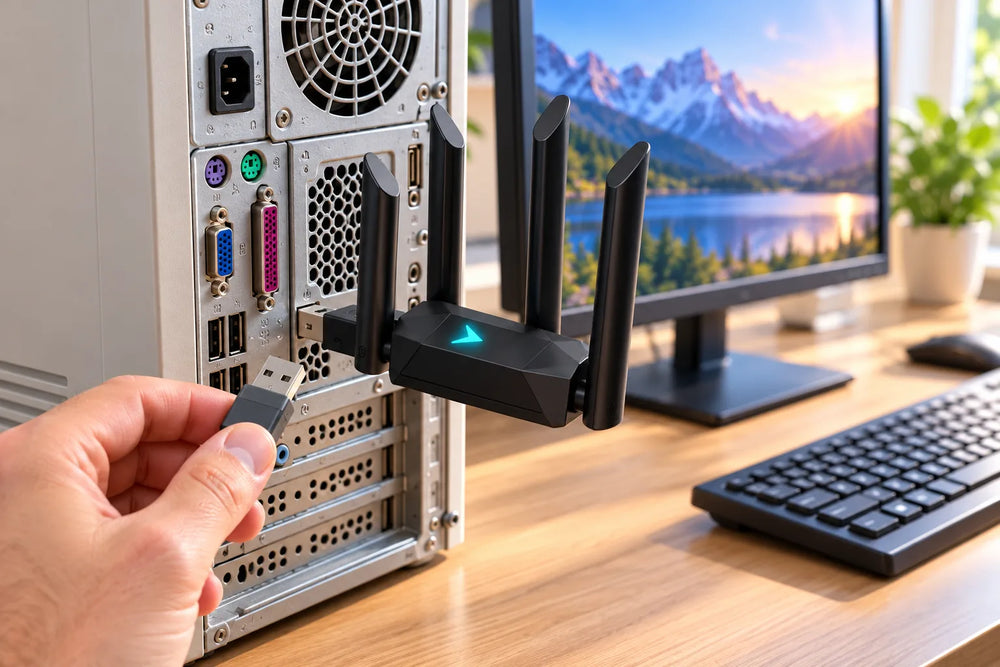
Desktop tower
Add WiFi and Bluetooth to a tower without a wireless card, without opening the machine.

Bluetooth accessories
Headset, speaker, mouse or controller, paired from the Windows settings.

Remote working
Join the router's dual-band network from your workstation.
Old PC
Replace an old single-band dongle on a PC running Windows Vista to 11.
Setup in 4 steps

Plug in the adapter
Insert the adapter into a USB port, preferably at the back of the tower.
Install the driver
Open “This PC”, run Setup.exe from the adapter and click Install.
Connect to WiFi
Click the Windows WiFi icon and join your dual-band network.
Pair your accessories
In the Bluetooth settings, pair your headset, mouse or controller.
Before ordering
The WiKey® Pro is compatible with Windows (Vista to 11). On a tower, use a USB port at the back. Sharing the connection as an access point requires third-party software.

Frequently asked questions
Do I need to install a driver?
Which systems is it compatible with?
What does “1300 Mbps” mean?
How do I connect a Bluetooth device?
My PC already has Bluetooth: is that a problem?
Where should I plug in the adapter?
A problem during installation?
Picture installation guide
5 illustrated steps to prepare and connect your WiKey® Pro.


Our guarantees
Free delivery
Dispatched within 48 hours, delivered in 7 to 10 days with tracking.
14-day returns
You have 14 days after delivery to request a return.
Secure payment
Encrypted payment at checkout.
UK support
By email at support@wiboostpro.com or by phone on +44 20 8154 4663, Monday to Friday, 10:00 to 18:00.