


WiFi watering timer WiWater® Pro
WiFi Watering Timer No Hub Required, IP65 - WiWater® Pro
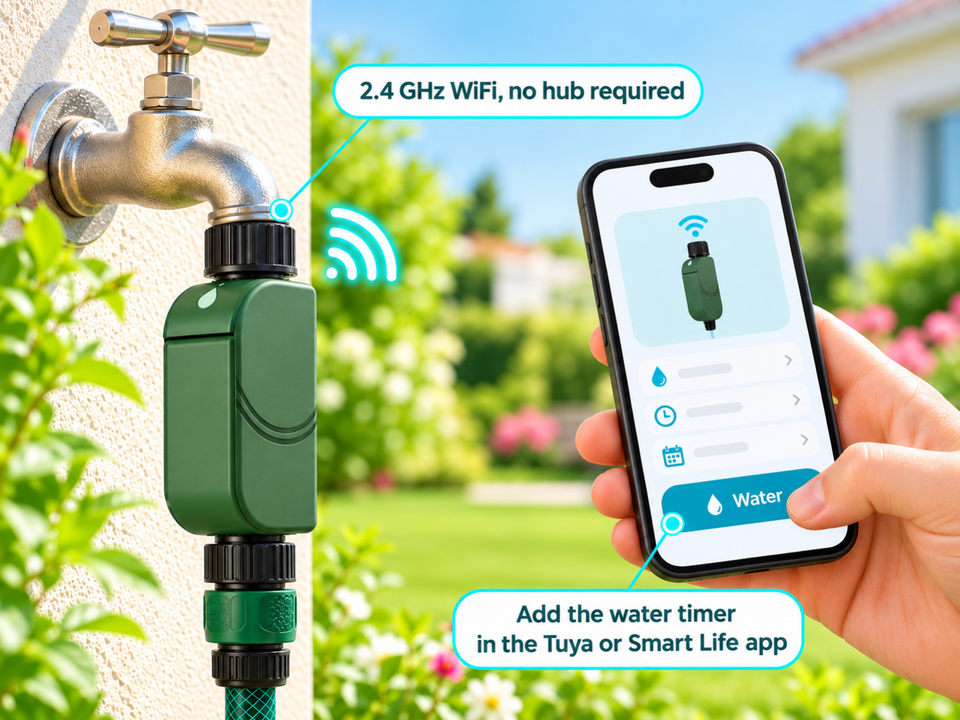
Schedule and start watering from your phone, directly over 2.4 GHz WiFi, with no hub.
- ✓2.4 GHz WiFi with no hub, Tuya / Smart Life app
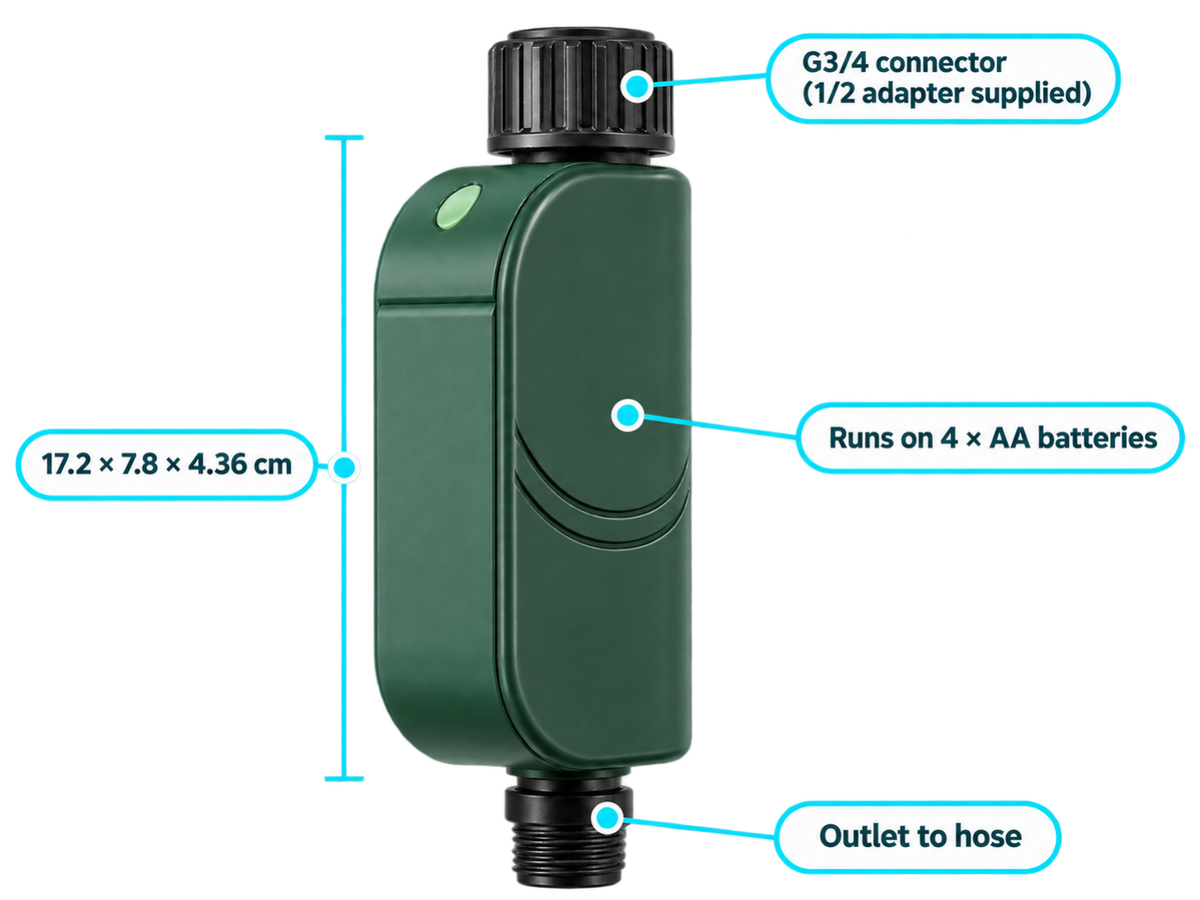
- ✓G3/4 connector, 1/2 adapter supplied
- ✓IP65 rated
- ✓4 AA batteries supplied, up to 1 year of battery life
Tax included.
In stock, Shipment before 24 November
 Free delivery
 14-day returns
 Ships within 48 hrs
 Secure payment
Description
The WiWater® Pro allows you to automatically control garden watering from your smartphone. It operates on 2.4 GHz WiFi without a hub and offers multiple settings, including scheduled watering, Rain Mode, and cycle-and-soak functionality. Its IP65-rated housing is suitable for outdoor installation on a standard G3/4 tap.
Specifications
In the box
- WiWater® Pro timer×1
- AA / LR6 batteries×4
- Quick connector×1
- 1/2 adapter×1
- O-ring×1
- PTFE sealing tape×1
Compatibility
Delivery & returns
Orders ship within 48 hrs and are delivered in 7 to 10 days with tracking. Free delivery on all orders. You have 14 days after receipt to request a return.

Water at a set time, even when you're away
Going on holiday, forgetting to water, or watering that runs in the rain. The WiWater® Pro is programmed and controlled from your phone.


Manual watering: You have to open and close the tap yourself, every time you water.
With WiWater® Pro: Watering follows your schedule and can be started remotely, as long as the 2.4 GHz WiFi reaches the tap.
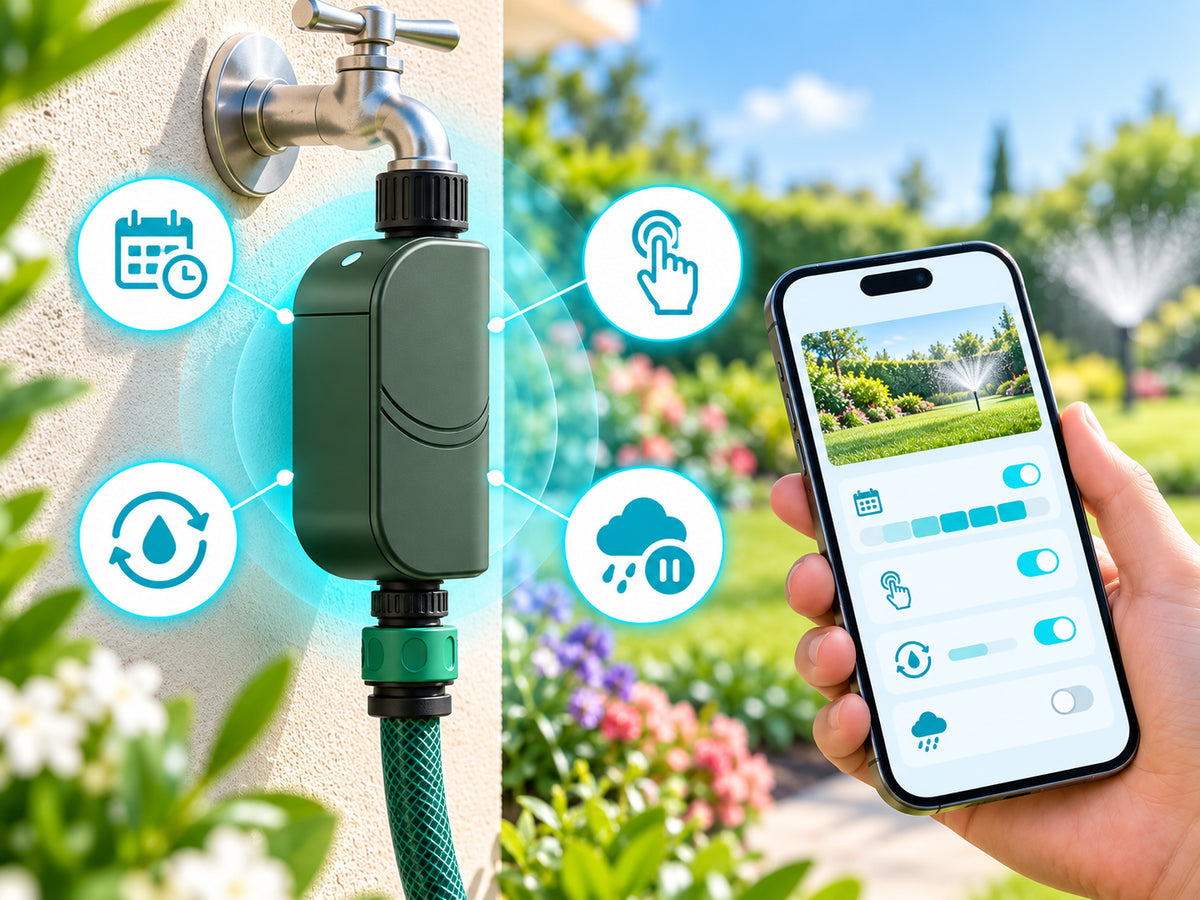
Four modes, controlled from the app
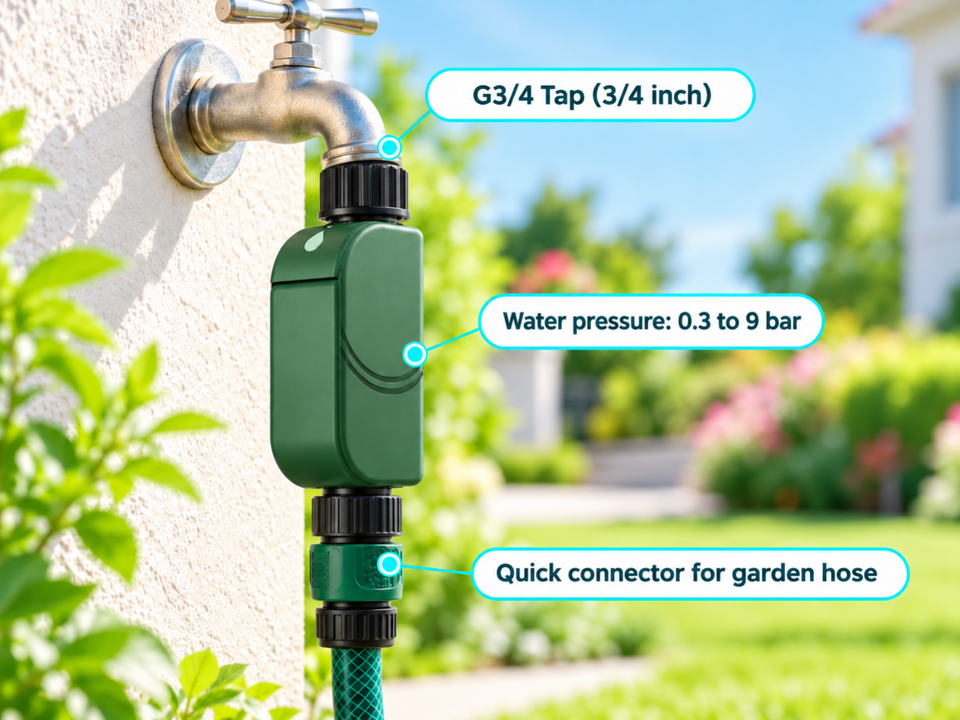
Scheduled mode, manual (button or app), cycle and soak, and rain mode, which suspends scheduled watering depending on the weather. Direct 2.4 GHz WiFi connection, with no hub, using the Tuya / Smart Life app and a watering history. Accepted water pressure: 0.3 to 9 bar.
Screws directly onto the tap
Plastic case of 17.2 × 7.8 × 4.36 cm, with a single outlet. It attaches to a G3/4 tap, runs on batteries and needs no electrical wiring.
Uses to suit your needs

Lawn
Schedule regular watering at the times you choose.

Drip-irrigated vegetable garden
A regular schedule for your drip irrigation network. It works from 0.3 bar of pressure.

Pots and planters
Cycle and soak mode lets you water in successive cycles.

Holidays and second homes
Start or pause watering remotely from the app, if WiFi remains available on site.
Setup in 4 steps

Connect
Screw the timer onto the G3/4 tap, with the 1/2 adapter if needed and PTFE tape on the thread.
Connect
Install the Tuya / Smart Life app and pair the timer with your 2.4 GHz WiFi.
Schedule
Create a schedule or choose a mode: manual, cycle and soak.
Let it work
Turn on rain mode to pause scheduled watering depending on the weather.
Check the WiFi in the garden
Before buying, use your phone to check that the 2.4 GHz WiFi reaches the tap, and check the tap's thread (G3/4, or 1/2 with the adapter supplied). If there is a risk of frost, remove the timer from the tap.

Frequently asked questions
Do I need a hub?
Is it compatible with my tap?
Can it stay outside in winter?
How does rain mode work?
What is the battery life?
A problem during installation?
Picture installation guide
6 illustrated steps to prepare and connect your WiWater® Pro.




Our guarantees
Free delivery
Dispatched within 48 hours, delivered in 7 to 10 days with tracking.
14-day returns
You have 14 days after delivery to request a return.
Secure payment
Encrypted payment at checkout.
UK support
By email at support@wiboostpro.com or by phone on +44 20 8154 4663, Monday to Friday, 10:00 to 18:00.